Also available in简体中文Bahasa Melayu
Trending
TNG eWallet overseas rides: 47 countries, paid in ringgit
You see the fare before you confirm. In China, DiDi and AMAP are both in the app.


You land and you need a ride: in 47 countries you can book it inside TNG eWallet and pay the fare in ringgit.
TNG eWallet's overseas ride-hailing went live on 5 November 2026, built with Alipay+, covering 47 countries and more than 12,000 cities. TNG Digital press release
TNG Digital's own line is that among Malaysian eWallets this is the first that lets you book and pay for rides abroad directly in the app.
What it means for you
The old routine on landing was to install the local ride-hailing app, clear several verification steps, feel your way around an unfamiliar language and then set up a new payment method. None of that now.
The fare comes out of your existing wallet balance, so there is no foreign currency to sort out on arrival. You see the fare before you confirm, and trip details and transaction records stay in the app.
The providers are GO in Japan, Kakao T in South Korea, and DiDi Travel and AMAP in China. In North America and the European Union, coverage is selected markets: Lyft for the United States and Canada, and Bolt for the European Union. Where there is more than one provider, you pick the one you prefer.
Heading to China, there is money off too: 50% off your first ride, AMAP only.
Finding it in the app
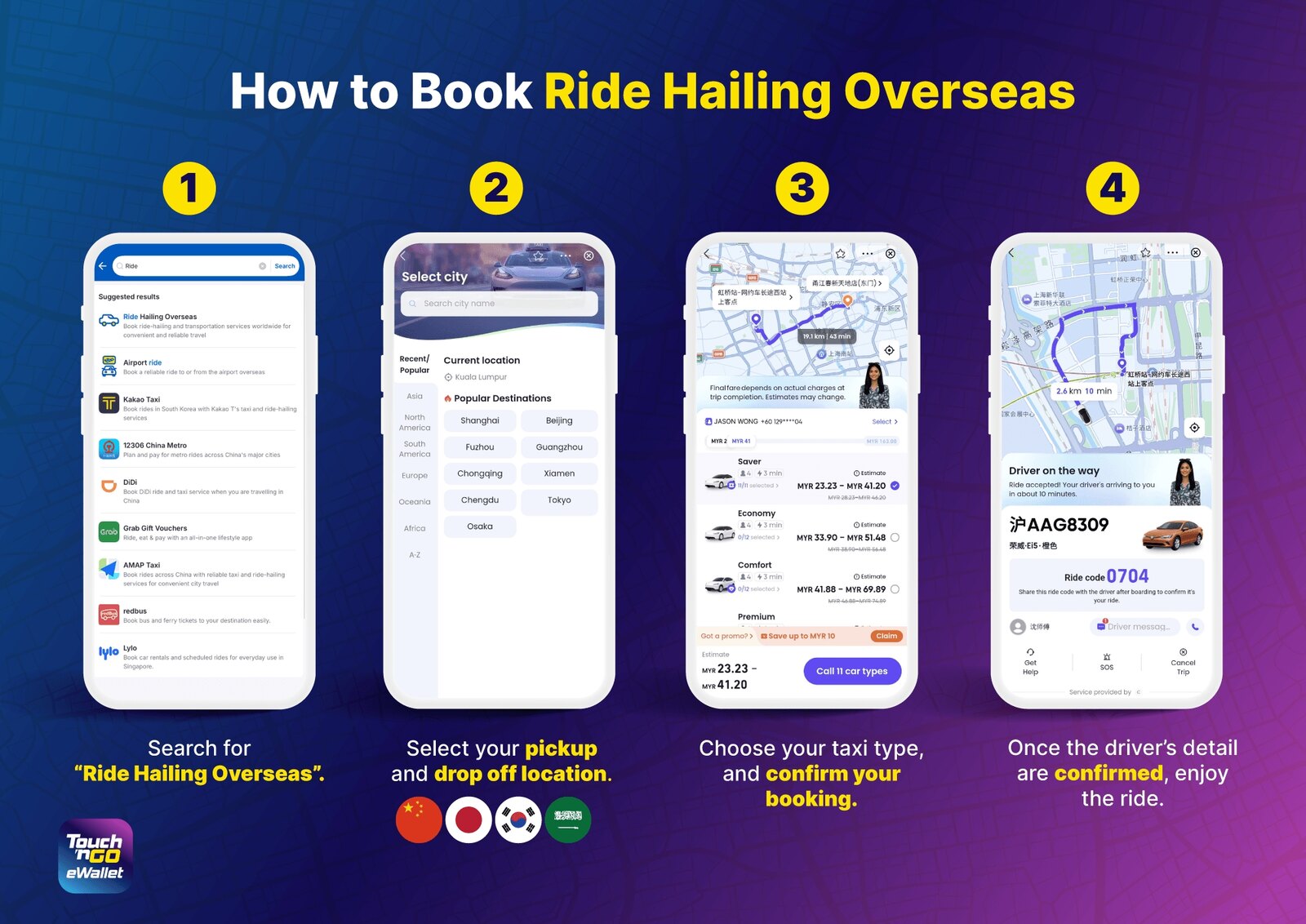
Booking a ride (see the image above): search for "Ride Hailing Overseas", pick your pickup and drop-off points, choose a car type and confirm, then set off once the driver's details are confirmed.
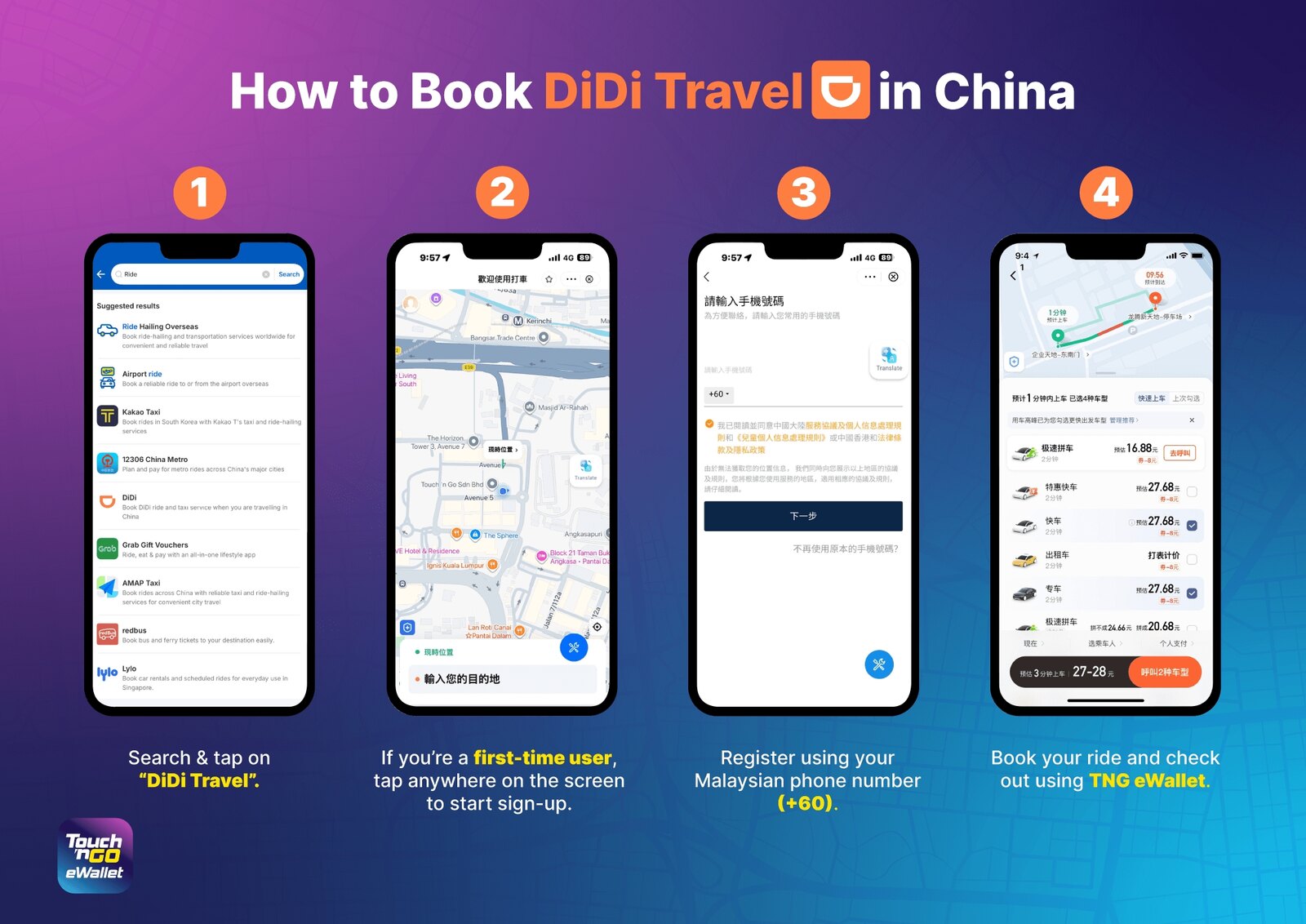
Booking in China (image below): search "DiDi Travel". If it is your first time, tap anywhere on the screen to start sign-up, then register with your Malaysian number (+60) — do that in the app before you fly. You book and pay in TNG eWallet.
Or skip the search: switch the app to the China homepage, scroll down, and the DiDi and AMAP tiles are there.
What TNG Digital has not said
- Which 47 countries: the full list has not been published. To find out whether the city you are heading for is on it, you have to look at the city-picking step in the app yourself — that page is grouped by region and lists popular cities.
- Which exchange rate the ringgit fare settles at, and whether there are fees.
- How long the first AMAP ride discount runs, whether it has a cap, and how many times one person can use it.